

Documentation Index
Fetch the complete documentation index at: https://www.thundercompute.com/docs/llms.txt
Use this file to discover all available pages before exploring further.
VS Code
Editor extension
CLI
Command line
Console
Web interface
Agents
MCP server
Installation
Click the following links to access the Thunder Compute extension: You must have already installed the corresponding editor for each link to work.Authentication
You may be automatically prompted to login. If not, open the command palette withCtrl + Shift + P (or Cmd + Shift + P on macOS) and run Thunder Compute: Login.
Your browser will open automatically to complete authentication.
Add a Payment Method
In the console, add a payment method to your account.Using The Extension
You can create instances through the console or directly through the extension like so: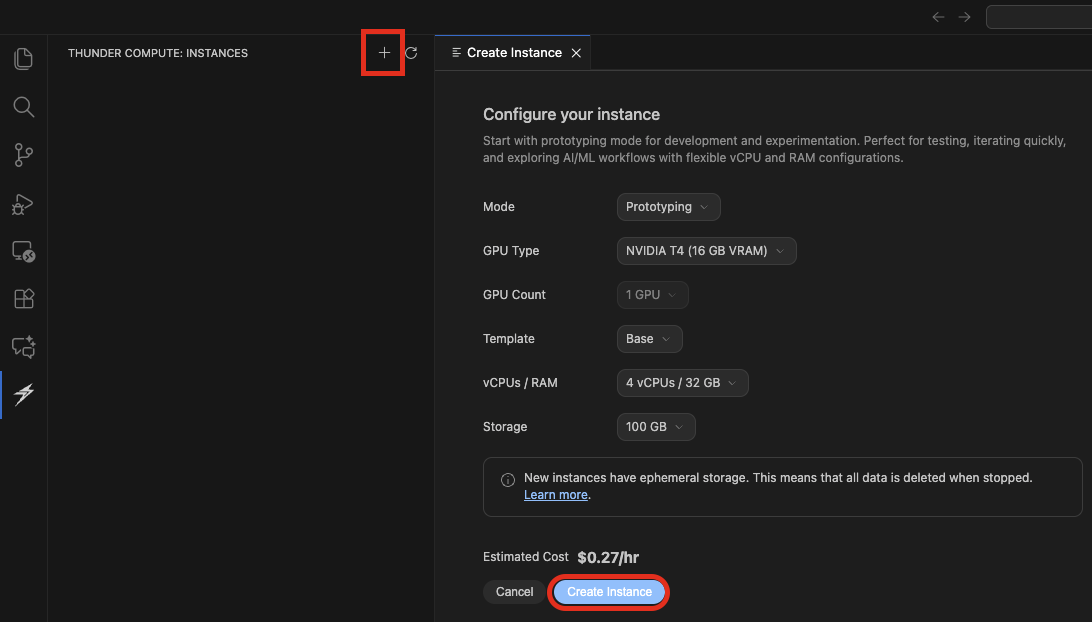
Connect button next to your instance, shaped like two arrows pointing towards each other.
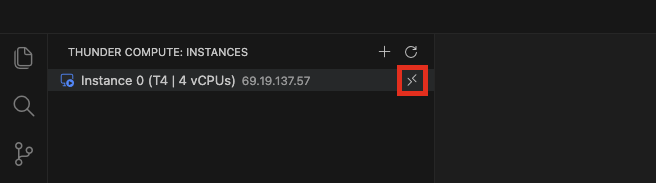
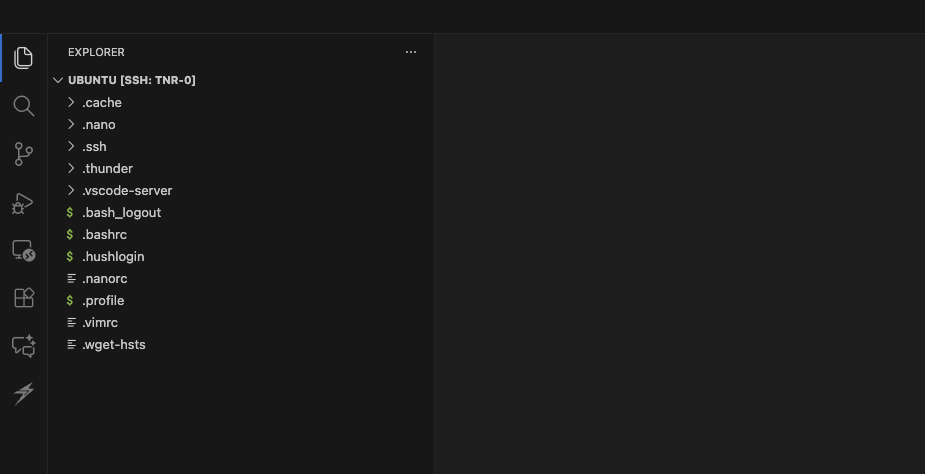
If connecting to the instance fails, check that you have the remote-ssh extension installed on your editor.
Next Steps
- Learn about Prototyping vs Production to choose the right mode for your workload
- Explore Technical Specifications for hardware, networking, and storage details
- Learn how to transfer files, create snapshots, and more in the Operations section
- Learn how to Run a Jupyter Notebook